
IMVU: Social Chat & Avatar app
IMVU, Inc.Social
4.5116.96K Reviews
- Version
- 14.13.0.141300005
- Installs
- 50.00M
- Age Rating
- Teen
Screenshots
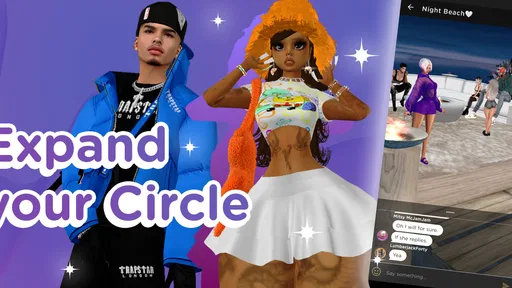
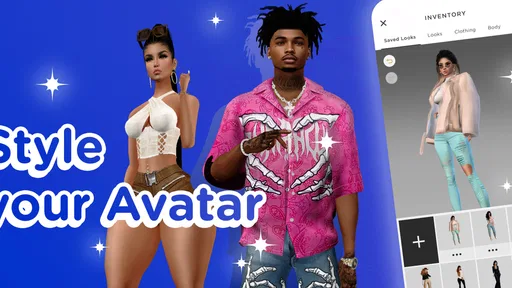




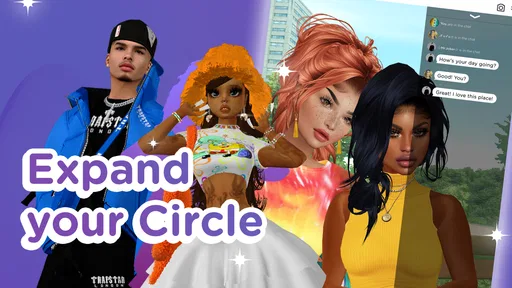
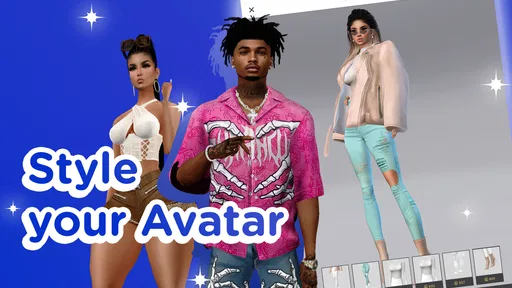
Our Review of IMVU: Social Chat & Avatar app
 Analysis by Appyee
I think the most useful way to judge IMVU: Social Chat & Avatar is to imagine it on a shared household tablet or phone. One person may want to style an avatar and browse rooms; someone else may be curious about the social side. That can work, but I would treat it as a personal social space rather than a communal game: accounts, conversations, purchases, and expectations should stay clearly tied to the person using them.
Sharing a device without sharing an identity
On a family device, I’d agree on who is signed in before anyone starts exploring. A personalized avatar and an established account can make the experience feel like “my place,” even when the screen belongs to everyone. Switching users casually can blur who is speaking in a room or making a choice, so I’d avoid treating one account as a household profile.
I would also keep payment decisions separate from casual browsing. The app is free to download, but it includes in-app purchases, and virtual fashion can make shopping feel like part of the fun. If a device is shared, decide in advance who may approve purchases and whether anyone should spend at all. That small conversation is easier than sorting out a surprise transaction later.
Setting expectations before the first visit
The app is most rewarding when you know what you want from it. If the goal is simply to make an avatar and look around, there is no need to rush into buying items or joining every conversation. I’d start with a modest style, visit a few rooms, and see whether the social atmosphere feels comfortable before investing more time or money.
That approach also helps answer a common practical question: does this work for a quick visit, or does it demand a long session? I find the basic loop easy to dip into—adjust an outfit, browse a setting, exchange a few messages—while deeper customization and active socializing can easily take longer. It suits someone who enjoys choosing their own pace, not someone expecting a tightly guided sequence of objectives.
Making plans with friends
For friends who already use it, a virtual room can be a handy place to meet when a regular group chat feels too plain. You can coordinate a time elsewhere, then use the shared setting as the backdrop for conversation. Hosting an event is appealing for that reason, but I’d keep the plan simple: agree on the room and purpose first, rather than assuming everyone will arrive, know what to do, or want to stay for a long session.
There is a useful distinction here from ordinary messaging apps. A group chat is usually faster when you only need to pass along information; this app makes more sense when the avatar, space, and sense of being together are part of the point. If a friend is mainly looking for voice calls, practical coordination, or a quick text thread, a conventional messaging option will be more direct.
Hey there! So, let's dive into the world of IMVU: Social Chat & Avatar. If you've ever wanted to explore a virtual universe where you can create your own avatar and meet people from all over the globe, this app might just be your new favorite playground. I’ve been playing around with it, and here's what I think.
First Impressions and Getting Started
When I first launched IMVU, I was greeted with a vibrant and colorful interface. The design is pretty appealing, and it kind of feels like stepping into a digital wonderland. Setting up my avatar was a breeze. I mean, who doesn't want to create their mini-me? The customization options are pretty extensive, letting you tweak everything from hair color to outfit style. It's like having your own personal fashion show.
Once my avatar was ready, I was off to explore the virtual world. The app connects you to a vast community of users, and the social interaction is really the heart of this experience. Whether you’re looking to make new friends or just want to chat with someone about your favorite TV show, there’s a space for you here.
Exploring the Virtual World
The variety of chat rooms and environments is impressive. From tropical beaches to futuristic cities, you can hop from one locale to another in seconds. It’s a fantastic way to escape reality for a bit. The chat rooms are where the magic happens. There’s always something going on, and people are super friendly and welcoming.
One thing I found particularly cool was the ability to host your own events. Fancy a virtual dance party? Why not! The tools are there to help you create an engaging experience for yourself and your friends. Plus, the app regularly updates with new features and environments, so there’s always something fresh to check out.
Customization and Creativity
If you’re into fashion and design, IMVU will be a playground for your creativity. The app offers tons of clothing, accessories, and even furniture to deck out your avatar and virtual spaces. You can purchase these items with credits, which you earn by participating in the community or buying them directly.
The marketplace is vast, and it’s easy to spend hours browsing through all the available options. You can even sell your own designs if you're feeling entrepreneurial. It’s a nice touch that adds a layer of depth to the app, giving users a chance to express their individuality in unique ways.
Community and Social Interaction
What really stands out about IMVU is its active community. Whether you’re a social butterfly or just dipping your toes into the world of online interactions, there’s something here for everyone. The app encourages positive interactions and even has a feature where you can rate your chat experiences, promoting a friendly atmosphere.
That being said, like any online community, you’ll want to be mindful of your interactions. The app does a good job of moderating content, but it’s always wise to stay cautious and respectful.
Age, trust, and a sensible first visit
Age context matters here because this is a social app, not just an avatar dress-up tool. It carries a Teen content rating, but that label is not a substitute for a household decision about whether a particular person is ready for open-ended online interaction. I’d talk through the basics first: don’t share identifying details, leave conversations that feel uncomfortable, and ask a trusted adult for help if something seems wrong.
For a parent or guardian, I would avoid assuming that a shared screen means shared oversight. Sit nearby during an early visit if that feels appropriate, ask what rooms the user is exploring, and make sure they know they can step away. These are practical habits, not a claim that the app provides family controls. The same advice applies to adults who are new to avatar-based social spaces: keep personal boundaries clear, and don’t confuse a friendly character or room with a verified real-world identity.
What to expect from the social side
A reasonable first session is to finish an avatar, enter a room that looks interesting, and observe the conversation before jumping in. That gives you a feel for the room’s pace and tone. If it is not your kind of crowd, leaving and trying another setting is more useful than forcing a conversation. The freedom to browse is a strength, but it also means the experience can feel less focused than a game with a clear task or a messaging app with a specific purpose.
People often ask whether the app is mainly about chatting or dressing up. In my view, those parts feed each other: styling gives you a way to present yourself, while rooms and conversations give that presentation a social setting. If you only want a fashion creator, the social layer may be more than you need; if you only want efficient communication, the avatar and environment can feel like extra steps. It is best for someone who genuinely likes both self-expression and casual interaction.
There is also a trade-off in browsing the marketplace. Having many looks to explore can make personalization satisfying, but it can turn a relaxed visit into a long shopping session. I’d pick a theme or a small set of items before browsing, then stop once the avatar feels like your own. That keeps the creative part enjoyable without making every session revolve around collecting more.
How it compares with familiar social apps
Compared with a standard social network, this experience puts more emphasis on being represented by an avatar inside a designed space. That can make a meetup feel playful and give conversation a shared backdrop, but it is less convenient for posting ordinary updates or keeping up with people you already know. Compared with a conventional multiplayer game, it is more about identity, rooms, and conversation than winning a match or progressing through a challenge.
That difference helps me decide who should skip it. If you prefer private, direct communication with a small circle, a messaging app is likely the simpler choice. If you want structured gameplay, clear goals, or a competitive loop, a dedicated game will probably hold your attention better. I’d recommend this one to people who enjoy browsing styles, moving between social spaces, and meeting others without needing every visit to have a fixed outcome.
Practical details for deciding
IMVU is a free social app from IMVU, Inc., and it has an average rating of 4.5 from around 702,000 ratings, with more than 117,000 written reviews and over 50 million installs. It is rated Teen. The current version is 14.10.2.141002001, and it requires Android 10 or later. Those details make it easy to see that this is an established app, though popularity alone cannot tell you whether its open social style is right for your household.
In-app purchases range from $0.49 to $199.99 per item, so I would treat spending as a separate choice rather than an automatic part of joining. You can start by exploring without buying anything, and decide later whether paid items add enough value for you. If you are considering it for someone else, discuss spending before handing over a shared device; if you are trying it yourself, set a limit that feels comfortable and stick to it.
The app was released on October 21, 2014, and its longevity is reflected in the size of its community. That can help when you want lively rooms and plenty of styles to browse, but a large social environment is not automatically a close-knit one. I’d approach it with realistic expectations: finding a comfortable room or familiar group may take a little exploration, and not every interaction will become a lasting connection.
Final Thoughts
Overall, IMVU: Social Chat & Avatar is a fun and engaging platform for anyone looking to explore a new virtual world. The customization options are top-notch, and the community is vibrant and welcoming. Whether you’re there for the fashion, the social interaction, or just to escape reality for a bit, it has something to offer.
Just remember, it’s all about having fun and connecting with others. So, why not give it a whirl? You might just find your new favorite virtual hangout spot. Happy chatting!
My household verdict
For a household, I see this as a personal social space that can be shared on a device only with clear account boundaries and sensible spending expectations. It is a better fit for someone who enjoys avatar styling and room-based conversation than for someone who wants a simple family game or private messaging. I’d start with a short, supervised first look where appropriate, let the user decide whether the rooms suit them, and keep the option to stop if the social atmosphere feels uncomfortable.
My recommendation is measured rather than universal: I’d try it if the mix of customization and casual socializing sounds genuinely appealing, and I’d skip it if the goal is focused gameplay, effortless coordination, or a tightly private space. Its strongest appeal is the feeling of shaping a character and taking that character somewhere to meet people. Its main friction is that open-ended social browsing and purchasable style items ask for personal boundaries and a little self-direction. If those trade-offs suit you, it can be an enjoyable virtual hangout; if they do not, a regular chat app or a more structured game will likely feel more comfortable.
Privacy and Permissions
See what permissions an app requests and how it handles your data.
- Photos/Media/Files
- read the contents of your USB storage, modify or delete the contents of your USB storage
- Storage
- read the contents of your USB storage, modify or delete the contents of your USB storage
- Camera
- take pictures and videos
- Microphone
- record audio
- Wi-Fi connection information
- view Wi-Fi connections
- Other
- view network connections, pair with Bluetooth devices, full network access, change your audio settings, run at startup, control vibration, prevent device from sleeping, Google Play license check, read Google service configuration
Verdict
Strengths of IMVU: Social Chat & Avatar app
- Engaging 3D avatar customization.
- Diverse global community interaction.
- Frequent updates with new features.
- User-friendly interface and navigation.
- In-app purchases enhance experience.
Limitations of IMVU: Social Chat & Avatar app
- Can be data-intensive for mobile.
- In-app purchases can be costly.
- Occasional connectivity issues.
- Some features require premium access.
- Ads can interrupt user experience.
Similar Picks in This Category
View All
Meta Platforms, Inc.4.6

Instagram4.0

Likee-Live, Chat & Party Games
Likeme Pte. Ltd.4.4

Facebook Lite
Meta Platforms, Inc.4.5

TikTok - Videos, Shop & LIVE
TikTok Pte. Ltd.4.0

Moj: Free Short Drama & Reels
ShareChat4.1
Frequently Asked Questions
What is IMVU: Social Chat & Avatar app?
IMVU is a social networking app that allows users to create 3D avatars and interact in virtual environments. It's a platform for meeting new people, chatting, and exploring immersive worlds. Users can customize their avatars with a wide range of clothing and accessories, making it a unique and personalized experience.
Is IMVU free to use, and are there in-app purchases?
IMVU is free to download and offers a variety of free features. However, it also includes in-app purchases, allowing users to buy virtual currency called 'Credits.' These can be used to purchase premium clothing, accessories, and additional features to enhance the avatar and overall experience.
What age group is IMVU suitable for?
IMVU is designed for users aged 17 and older due to its interactive nature and user-generated content. The app includes social interactions and virtual items that may not be suitable for younger audiences. Parental guidance is advised for younger users who show interest in the platform.
How can I ensure my safety on IMVU?
IMVU offers several safety features, including privacy settings and the ability to block or report users. It's important to familiarize yourself with these tools and set your profile to private if desired. Additionally, avoid sharing personal information and be cautious while interacting with strangers online.
Can I use IMVU on both Android and iOS devices?
Yes, IMVU is available for both Android and iOS devices. Users can download the app from the Google Play Store or Apple App Store. The app requires a stable internet connection and sufficient device storage to function smoothly, ensuring an optimal user experience across platforms.
